
Docs › Announcements
Announcements: a notice across the top of your site
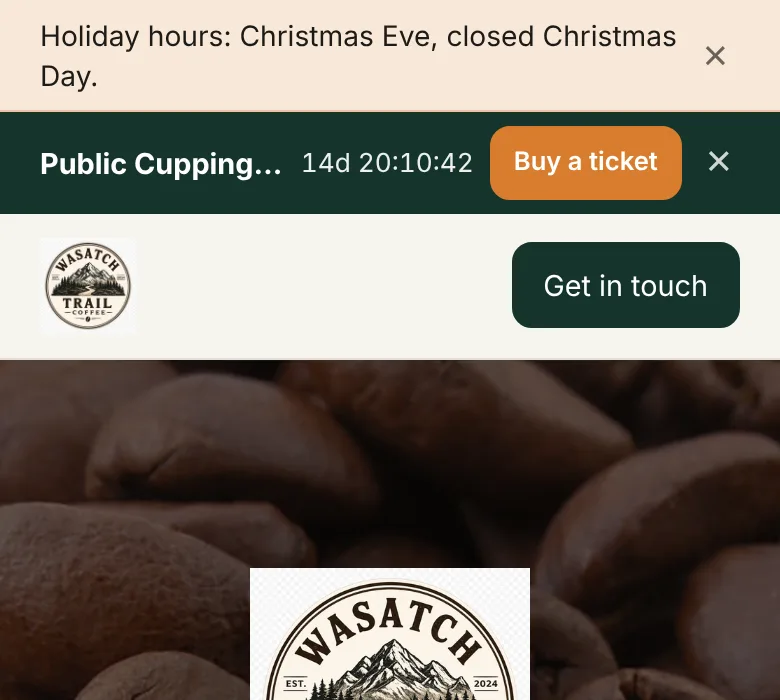
All plansOne short message across the very top of your site — “Closed today,” “Holiday orders are open” — that you post from your phone. Give it dates and it turns on and off by itself.
Post one
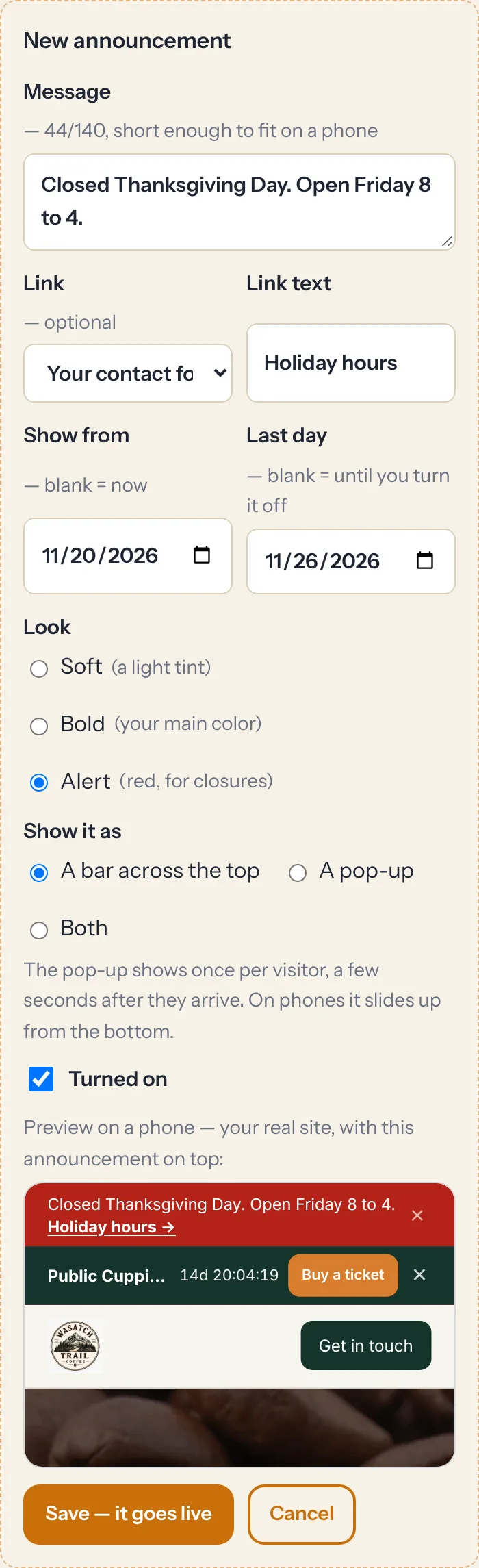
- Open Announcement in the dashboard (under Site) and tap + New announcement — or a quick start like Closed today or Holiday hours, which fills in a message for you to edit. The dated ones fill in dates too, so nothing goes live early.
- Write the message. Up to 140 characters, so it fits on a phone.
- Optional: add a link — your shop, your events, your contact form, a news post, a phone number, or any web address — and the words it shows, like “Holiday hours.”
- Optional: set Show from and Last day. Leave both blank to show it now until you turn it off.
- Pick a look: Soft (a light tint, the default), Bold (your main color), or Alert (red, for closures).
- Watch the preview, then tap Save — it goes live.
There's no Publish step on purpose. “Burst pipe, closed today” can't wait. Saving makes it live, and it shows on your site within about a minute.
Dates: set it up early
Dates follow your business's own time zone. “Closed Thanksgiving” can go in a week ahead and disappear by itself on Friday morning. The time zone is at the bottom of the Announcement tab if you ever need to change it.
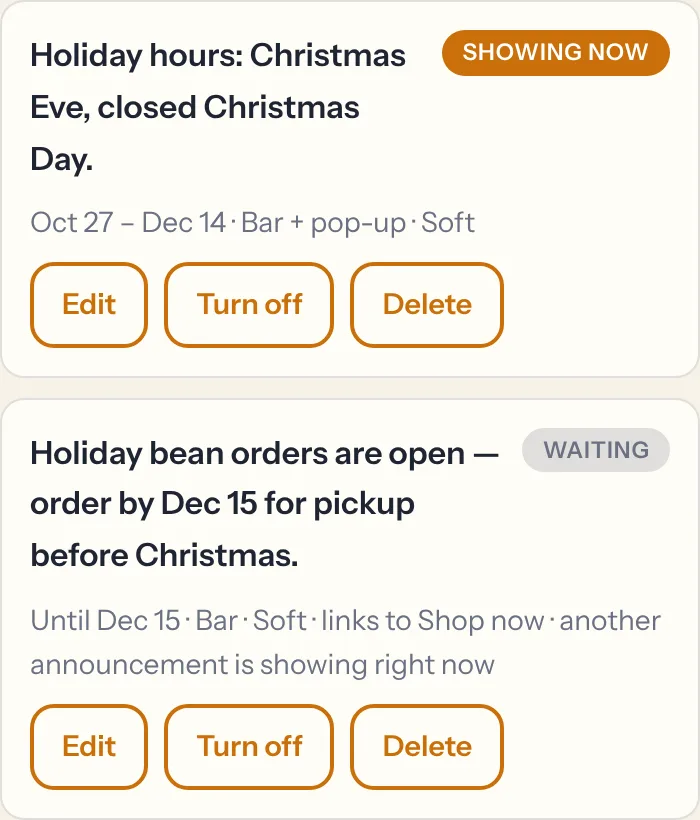
You can line up to five announcements — Thanksgiving hours, Christmas hours, the New Year sale — each with its own dates. Your site shows one at a time: the one that's on today. If two overlap, the one that started most recently wins. Each one in the list says whether it's Showing now or Waiting.
A bar, a pop-up, or both
Under Show it as, pick A bar across the top (the default), A pop-up, or Both.
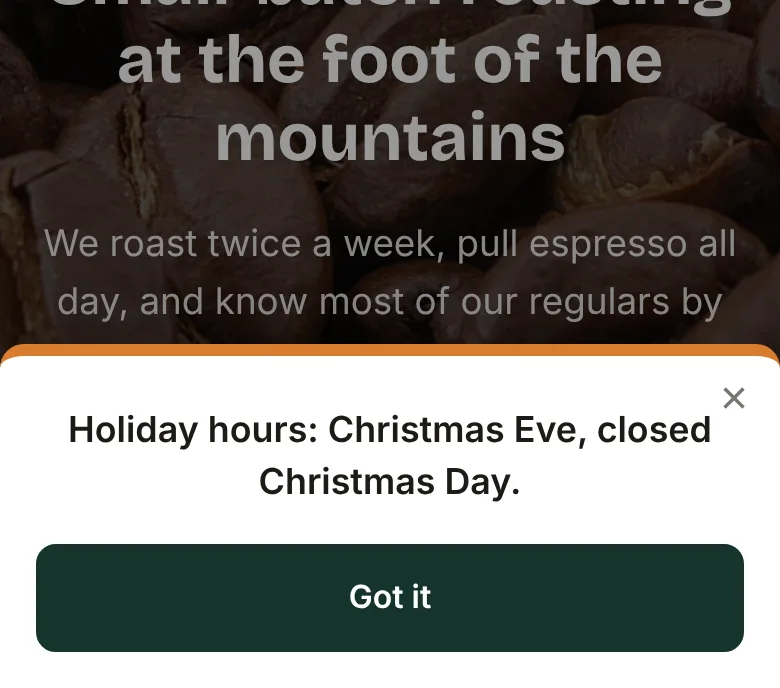
- The pop-up appears a few seconds after someone arrives, and only once per visitor for each message.
- On phones it slides up from the bottom and covers well under half the screen, so it never blocks the page (Google doesn't like pop-ups that do).
- It never shows on top of an order confirmation, or while you're previewing a draft.
How it behaves
- Visitors can close the bar. It stays closed for them until you post a new message — so a new announcement shows even to someone who closed the last one.
- The menu always stays. The bar scrolls away with the page, and your menu and “Get in touch” button stay pinned at the top.
- It shows on your news pages too, and a link to a part of your home page still works from there.
- Your chat assistant knows. It reads what's showing now and what's starting in the next two weeks, so “Are you open Monday?” gets “No, we're closed Monday for a staff day.”
- Turn off hides one without deleting it, so you can bring it back next year.
Want to see one live? The Wasatch Trail Coffee demo has its holiday hours up right now.