Docs › Your own domain
Your own domain
All plansConnect a domain you own — like mybusiness.com — so your site lives at your own address. Your free .netlify.app address keeps working too.
How it works
Two things happen, and only one of them involves us. First you buy the domain — that's the yearly address registration, and you do it at any registrar you like (GoDaddy, Namecheap, Porkbun — usually around $12 a year). We don't sell domains and never touch that payment. Then you connect it, which points your new address at your Stooplight site.
- Buy your domain at any registrar. Just the domain — you don't need hosting, email, or site-builder add-ons they may offer.
- In your dashboard, open Settings → Your domain, type the domain, and press Connect.
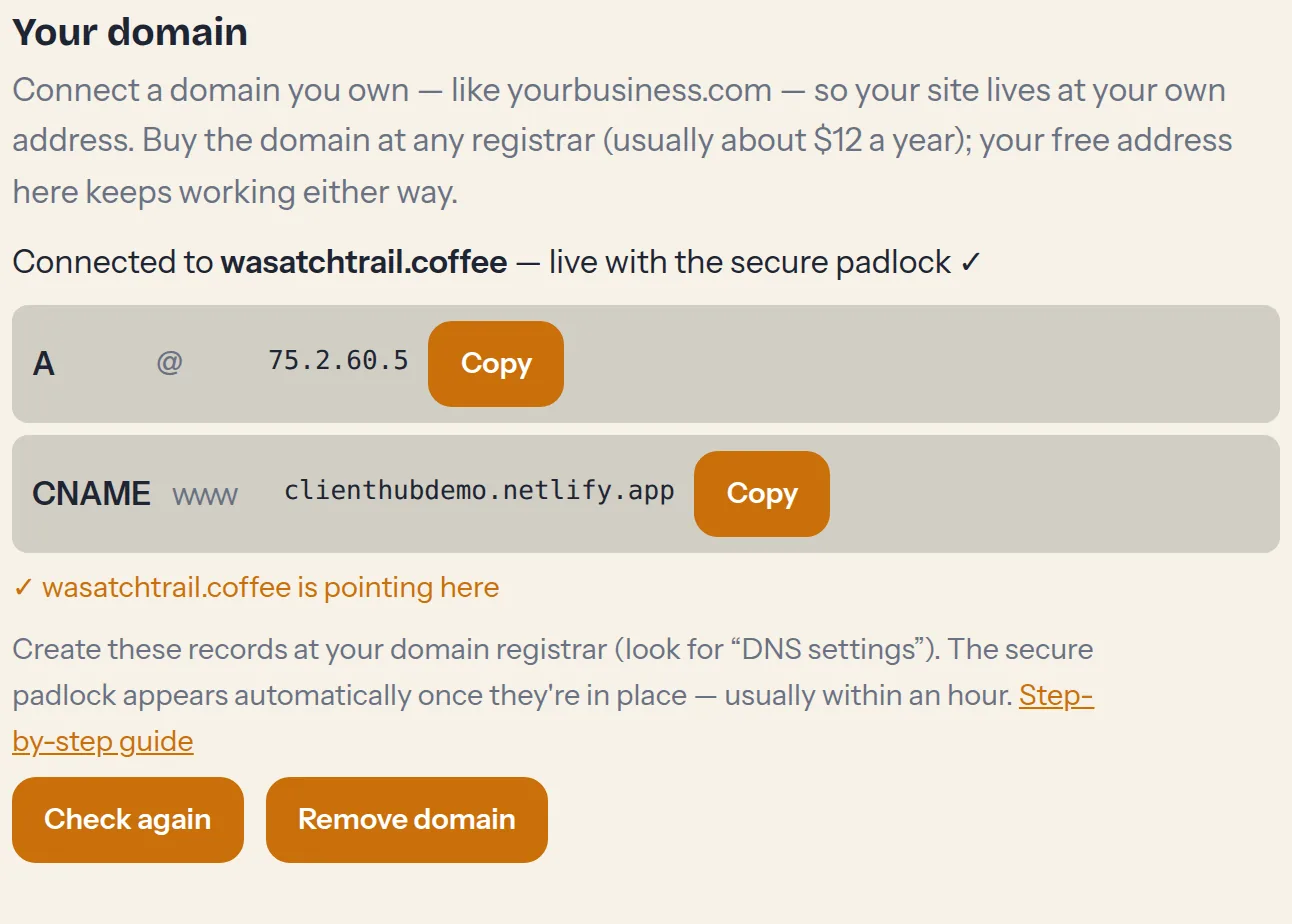
- We show you the exact records to create — usually one A record and one CNAME. Log into your registrar, find DNS settings (sometimes called DNS management or the zone editor), and copy them in. Each record is a copy-paste of a host and a value we give you.
- Come back to the dashboard — the status card checks your records and shows when everything's pointing the right way. The secure padlock (https) is issued automatically, usually within an hour of the records going in. Nothing to buy, nothing to renew.
Good to know
- Your old address keeps working. yourname.netlify.app stays live alongside your domain, so nothing you've shared breaks.
- Email is separate. Connecting your domain to your site doesn't change or provide email. If you want info@yourdomain.com, add an email service at your registrar — it lives happily next to your site records.
- www is handled for you. Enter either yourdomain.com or www.yourdomain.com — we connect both so visitors land in the right place.
- Changed your mind? You can disconnect or switch domains anytime from the same card.
- DNS can be slow to wake up. Records usually take effect in minutes, but registrars quote up to 24–48 hours. If the status card still shows waiting after a day, double-check the records or ask support.