
Docs › Discount codes and gift certificates
Discount codes and gift certificates
Pro and upMake a code like WELCOME10 that takes money off shop orders, event tickets, or both. Sell gift certificates that each get their own code, and let people spend them on your site or at your counter. Whatever they don't spend stays on the code for next time.
Make a discount code
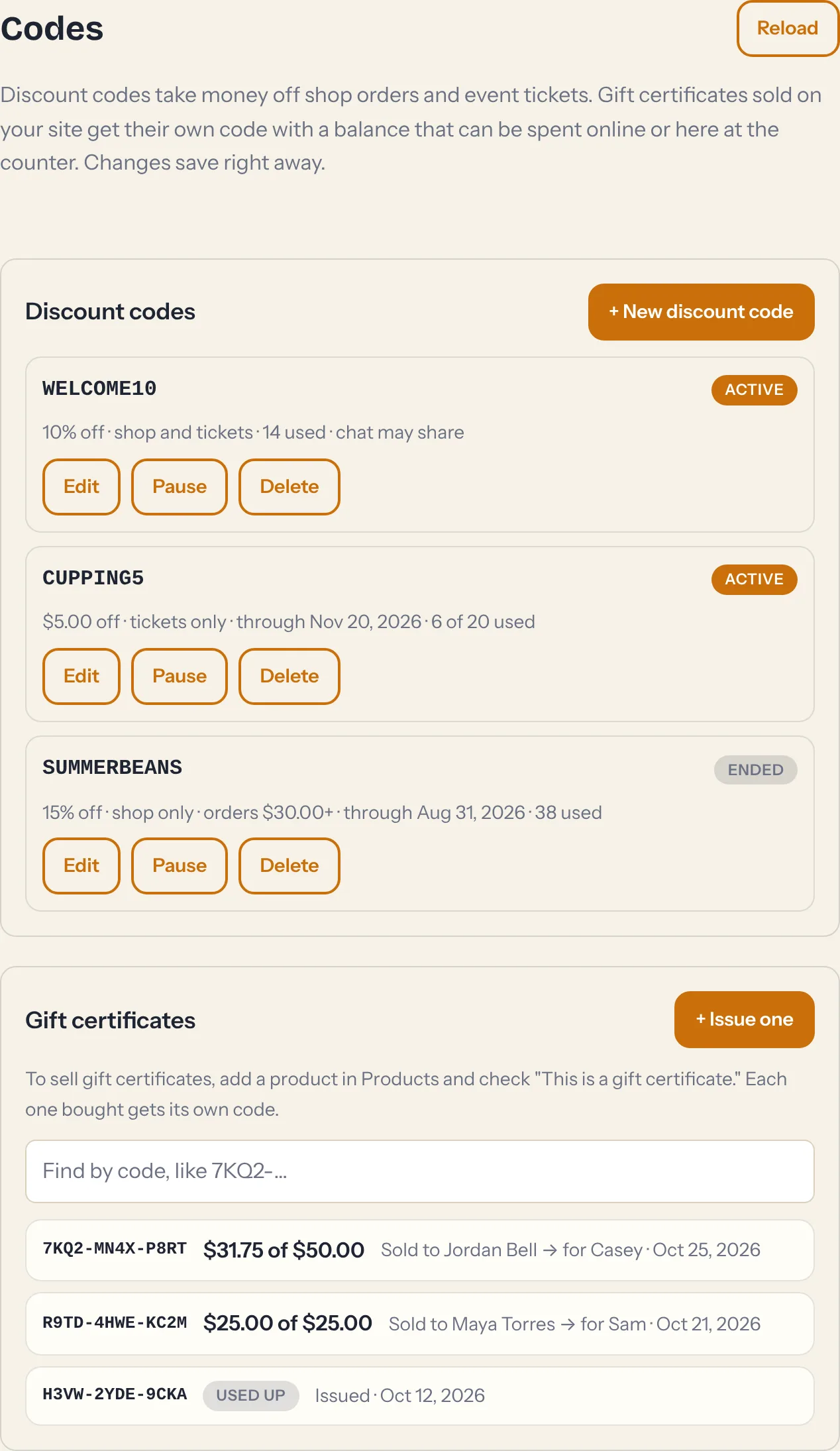
- In your dashboard, open Codes (under Store) and tap + New discount code.
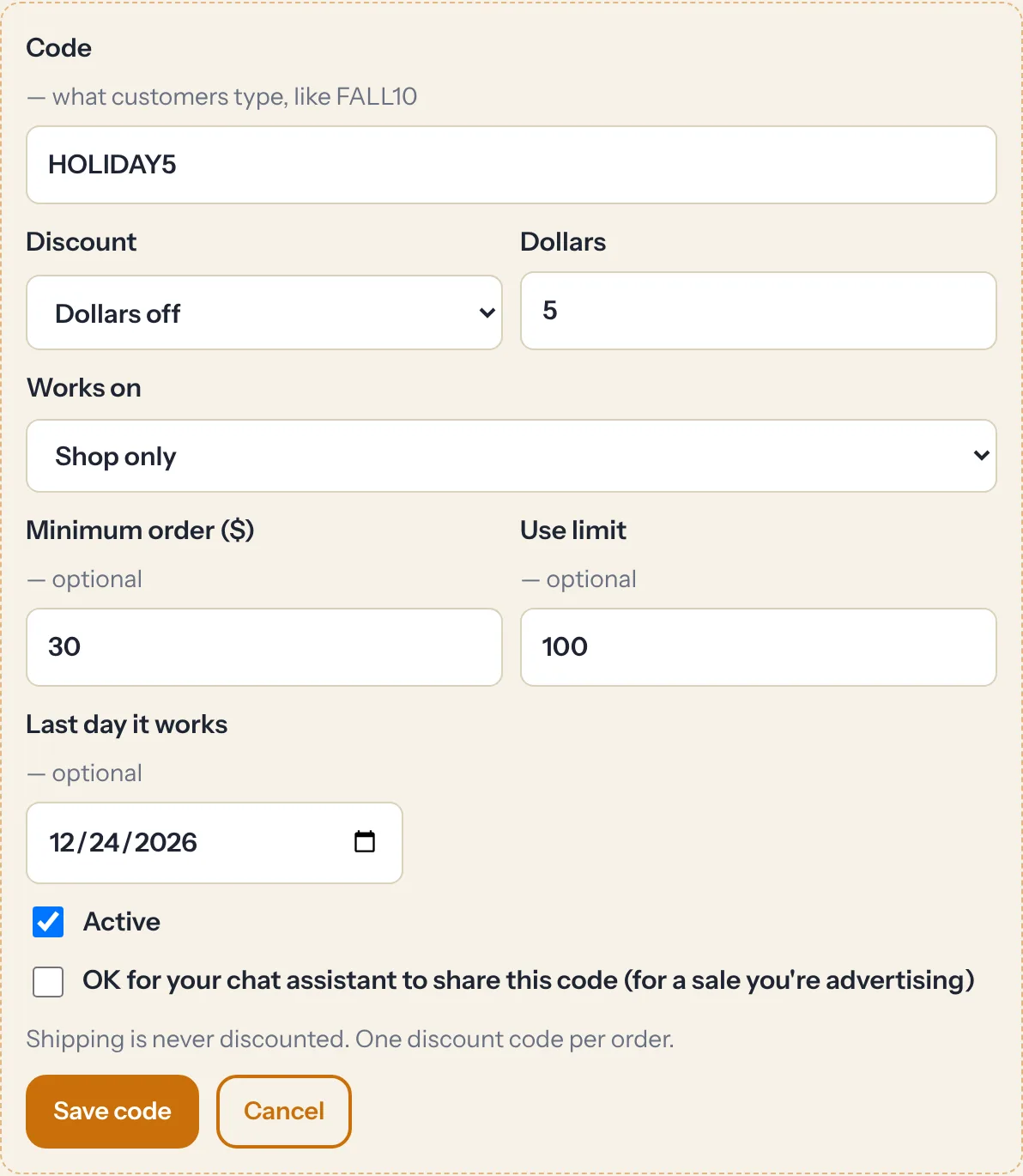
- Type the code your customers will enter, like
FALL10. Letters and numbers only. Capitals don't matter, sofall10works too. - Choose Percent off or Dollars off, and how much.
- Choose where it works: Shop and event tickets, Shop only, or Event tickets only.
- Add limits if you want them (all optional): a minimum order, a use limit ("the first 100 people"), and a last day it works.
- Tap Save code. It works right away. There's nothing to publish.
A few rules keep things simple:
- One discount code per order. A gift certificate can still be used alongside it.
- Shipping is never discounted, and discount codes don't take money off gift certificates being bought.
- Each code shows how many times it's been used. Pause turns a code off without losing it, and Delete removes it. You can't rename a code once it's made, so make a new one instead.
- Your site holds up to 200 discount codes.
Running a sale you're advertising? Check OK for your chat assistant to share this code, and your AI concierge will tell visitors who ask about deals. Codes without that check stay private. The assistant never reveals them and won't confirm a guess.
Sell gift certificates
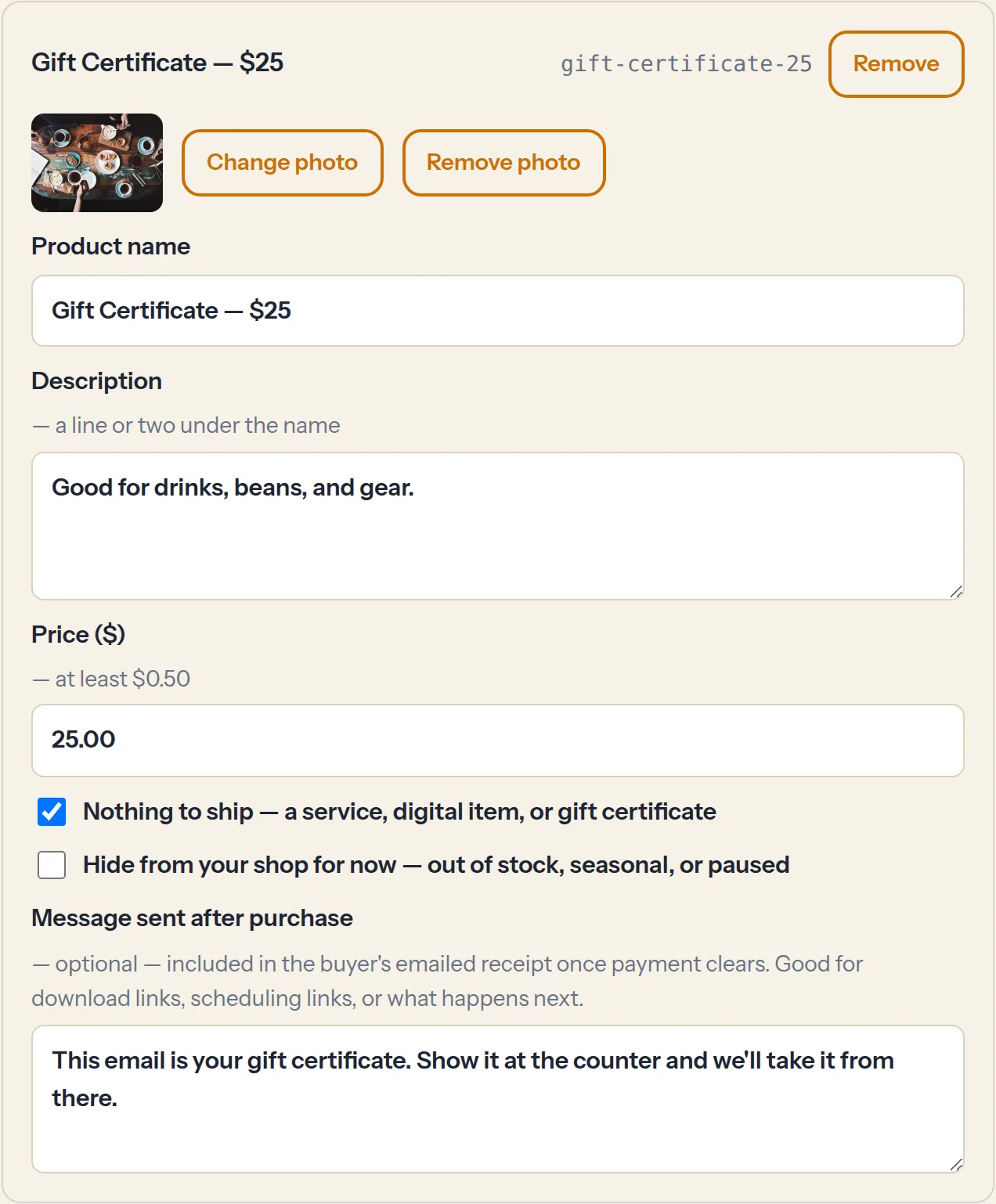
- In Products, add a product for each amount you want to sell, like "Gift Certificate — $25" and "Gift Certificate — $50".
- Check This is a gift certificate. It never ships, so Nothing to ship is checked for you.
- Save and publish, like any other product.
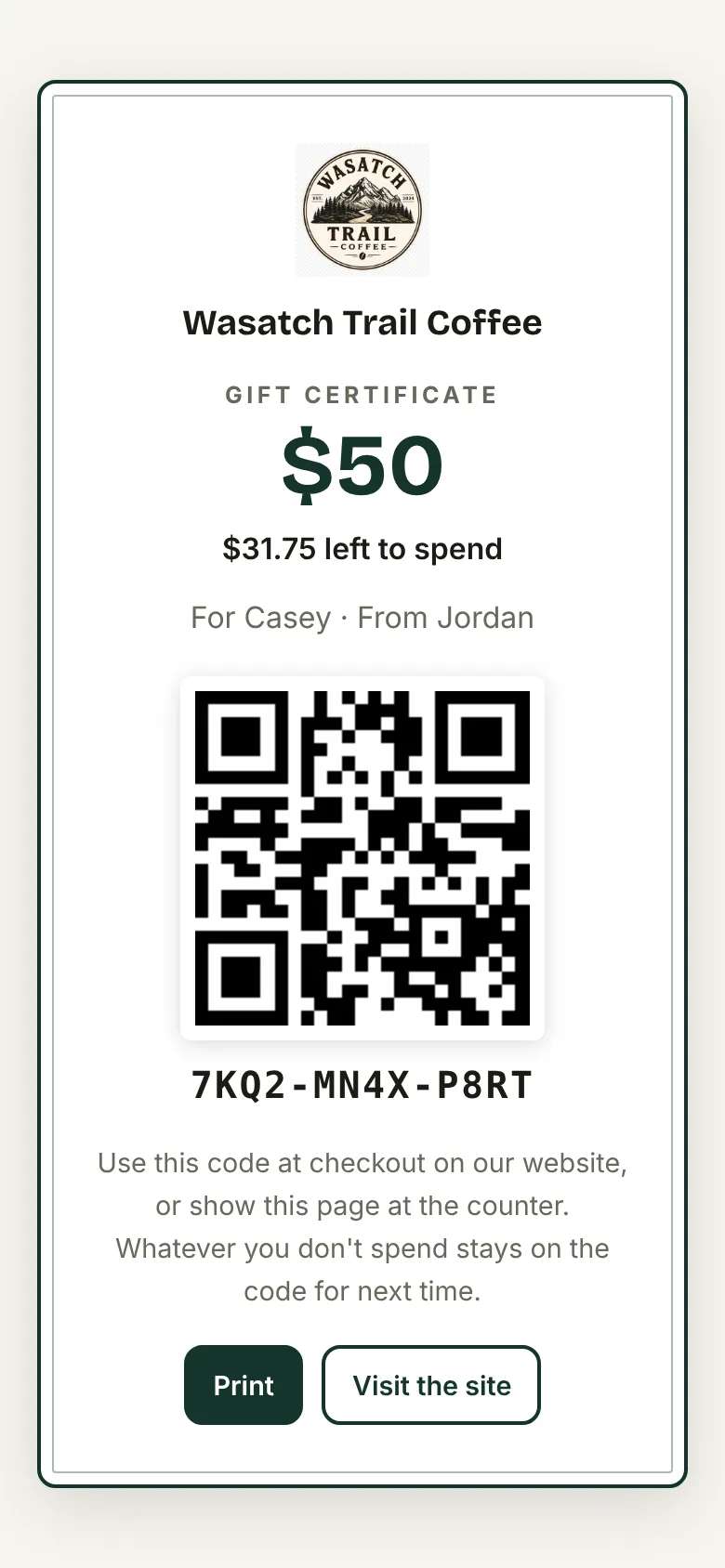
Every certificate someone buys gets its own code, like 7KQ2-MN4X-P8RT, worth what they paid. Their receipt links to a printable certificate with your logo, the amount, a QR code, and what's left on it. They can print it, forward it, or show it on their phone.
Sending one to a friend
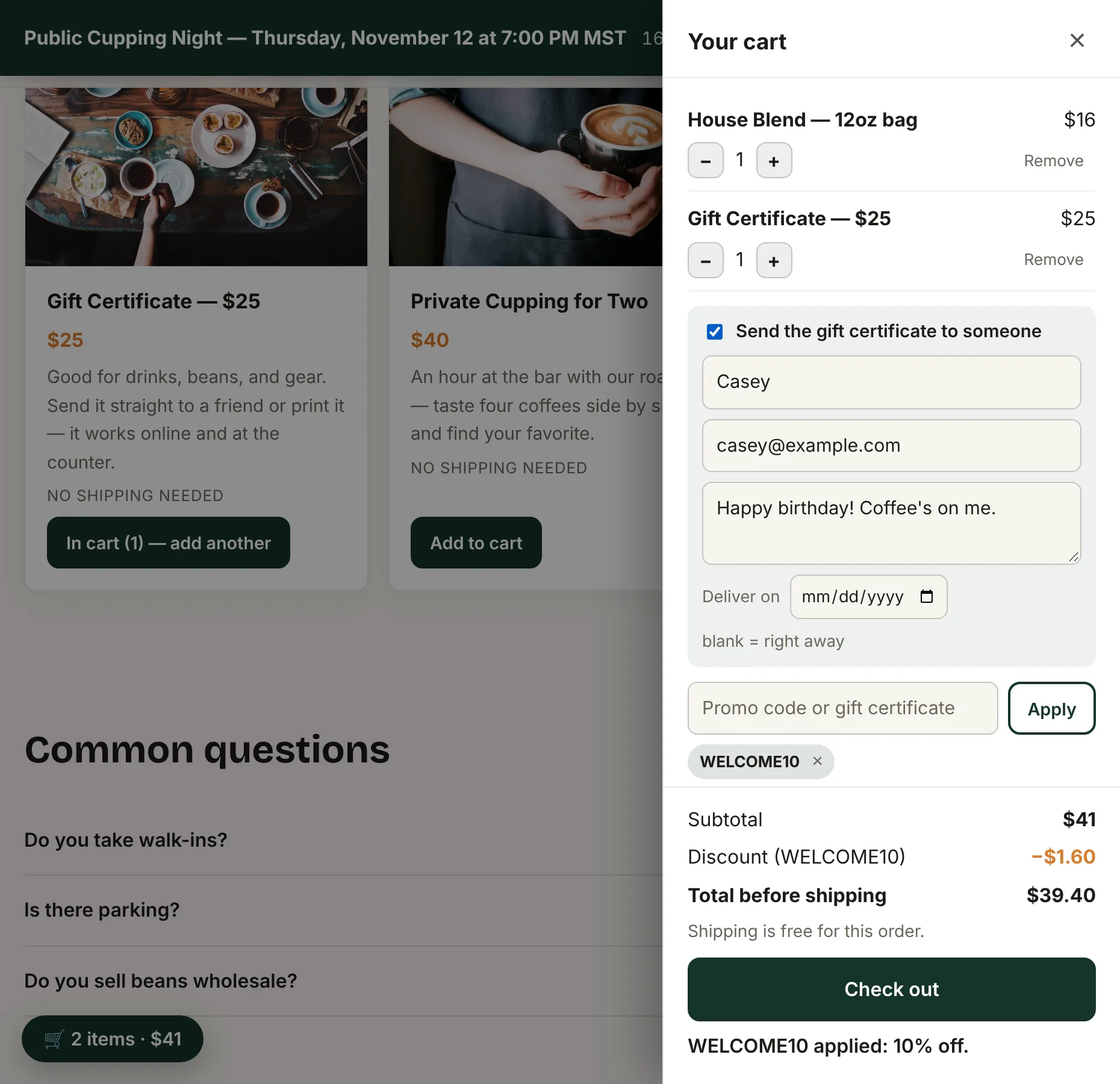
When there's a gift certificate in the cart, buyers can check Send the gift certificate to someone and add the friend's name, email, and a short message. The friend gets an email from your business with the certificate. Buyers can also pick a delivery date up to 30 days out (it arrives that morning), which is handy for birthdays. Leave it blank and it goes right away. If the email can't be sent for some reason, the buyer gets a copy to forward instead.
How people spend them
On your site
Customers type the code into the Promo code or gift certificate box in the cart, or tap Have a code? when buying tickets to a paid event. The balance comes off the total, and they pay the rest by card. If the certificate covers everything, there's no card step at all. They just add their name and email, and the order or ticket goes through.
While someone is checking out, that amount is held for them for about half an hour, so the same certificate can't be spent twice at once. If they give up, the hold lets go by itself.
At your counter
- Open the door scanner, the same one you use for tickets (how to find it).
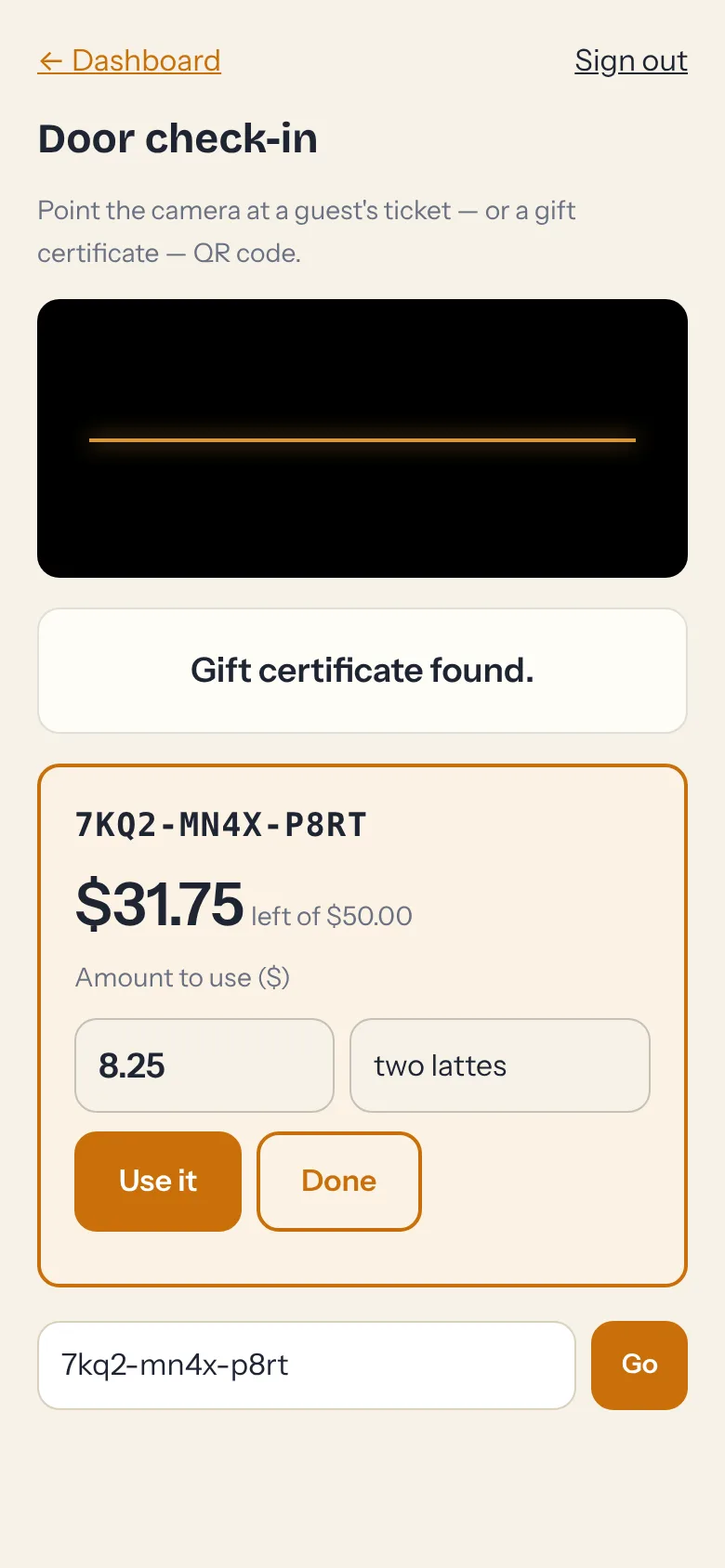
- Scan the QR code on the certificate, or type the code.
- Enter the amount you're taking, add a note if you like ("two lattes"), and tap Use it. The new balance shows right away.
Your door login can look up and use gift certificates at the scanner, but it can't see your other codes or change anything else. So you can hand it to whoever's behind the counter.
Keeping track
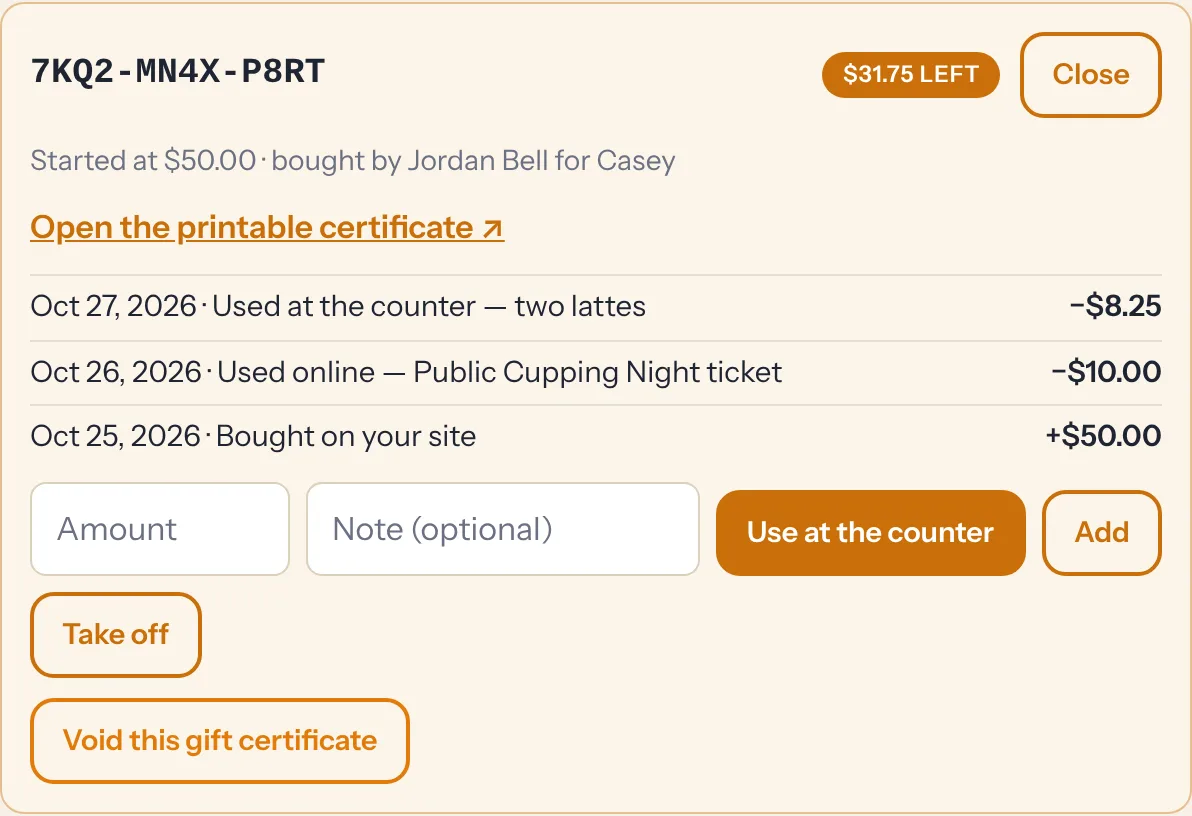
- Find by code to pull any certificate up. Its history shows every purchase and spend, and when.
- Use at the counter works here too, if you're at your desk instead of the scanner.
- Add or Take off fixes a mistake or tops one up. Void cancels a certificate for good (if someone got a refund, say).
- + Issue one makes a certificate without a sale: a raffle prize, a donation, a make-good for a bad day. It can be $1 to $1,000. Open it and tap Open the printable certificate to print it or send the link.
- Orders and guest lists show which discount code and gift certificate each buyer used, and so do their CSV downloads.
Where the money goes
Gift certificate sales are paid like any other product, straight into your own Stripe account. When a discount code is used, the buyer's Stripe receipt shows the discount, and you get the total they actually paid. When a certificate pays for part of an order, only the rest is charged to their card. Card payments have a 50¢ minimum, so if a certificate would leave less than that, it uses a few cents less and the rest stays on the code.
Someone guessing at codes? Your site stops anyone who gets 15 codes wrong in an hour, so there's no point trying random codes.
Want to try it? The Wasatch Trail Coffee demo has WELCOME10 running and a gift certificate in its shop, in Stripe test mode. Buy one with card number 4242 4242 4242 4242 (any future date, any CVC), send it to yourself, then spend it.